

Estimates in a minute, accepted with one click.
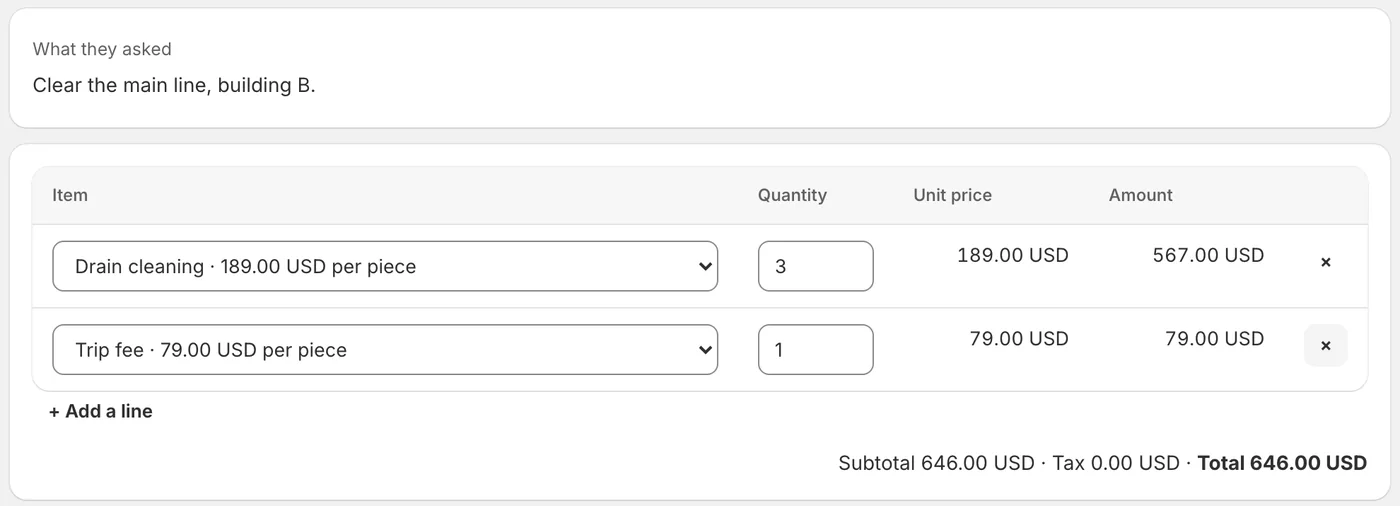
From a customer's request, your office picks the items from your price list and prepares the estimate. You check it and press Send. The customer accepts it online, and can pay a deposit through your own payment link.
Updated 16 October 2026
From a request to an accepted estimate.
- Your price list
One list of your services and products with their prices. Every price on an estimate comes from it, and from nowhere else.
- Prepared for you
From a customer's request, by email, chat or your own words, your office picks the items and quantities. Every amount and the total are worked out exactly.
- You check and send
Change a quantity, add a note on what is included, choose how long it is valid. A missing price or quantity keeps it from being sent until you fill it in.
- Accepted online
The customer opens it and accepts with one click. You are told at once, and the appointment can be offered right away.
Clear for your customer.
The estimate goes by email with a PDF, or as a link you hand over in person or by message. It is in the customer's language, with your business details. After they accept, the page shows "Pay the deposit" if you asked for one, through your own payment link: the money goes straight to you.
When the job is done, it becomes an invoice draft in lexoffice, or an invoice your office follows until it is paid.
An estimate, not an invoice.
A legal invoice still comes from your invoicing tool. Your office prepares, sends and follows estimates, and nothing reaches a customer until you press Send.
It never
- Invents a price that is not on your list
- Sends an estimate you did not press Send on
- Takes the payment itself
Asked before you start.
Can customers accept online?
Yes. The estimate's page has an Accept button, valid until the date you set. You are told the moment they accept.
Can I ask for a deposit?
Yes, as a percentage or an amount. After they accept, the page shows Pay the deposit through your own payment link.
Is an estimate an invoice?
No. A legal invoice still comes from your invoicing tool. When the job is done, the estimate can become an invoice draft in lexoffice.
Read next
Set up your office in an afternoon.
Free to set up, no card needed. It reads your website, asks what it could not find, and nothing goes live until you have checked it.